How to save dash cam footage after an incident
Loop recording is a countdown. The footage you need is being overwritten while you exchange details, and the fix takes about ten seconds if you know it.
By Sawyer V. · Published · How we research
We have not tested any of this. Everything below is compiled from published manufacturer specifications, and the arithmetic is printed so you can check it. This page carries affiliate links: if you buy through one we earn a commission at no extra cost to you, and it does not change the order of the picks. Full disclosure.
The short version
Press the lock button before you get out of the car. A dash cam records in a loop and overwrites its oldest files continuously, so the clip you need has a shelf life measured in hours. Locking the file moves it to a protected folder. Then stop the camera, remove the card, and copy the original files to a computer without editing them. The original file, unmodified, is worth far more than a trimmed clip.
| # | Pick | Install | Score | Price |
|---|---|---|---|---|
| 1 | Samsung PRO Endurance microSD The card that outlives the camera | Drops in | 9.3/10 | $76.99 - view on Amazon |
| 2 | SanDisk High Endurance microSD The cheaper endurance card | Drops in | 8.6/10 | $69.99 - view on Amazon |
| 3 | VIOFO A119 Mini 2 The one to buy if you only buy one | Adhesive | 6.7/10 | $129.99 - view on Amazon |
Prices last verified October 20, 2026. They move constantly; the figure on Amazon when you click is the real one.
Why the clock is running
A dash cam does not have infinite storage, so it records in a loop: it writes short segments — commonly 1, 3 or 5 minutes each — and when the card fills, it deletes the oldest segment to make room for the newest. That process never stops while the camera has power.
How long you have depends on card size and resolution. A large card at moderate resolution might hold most of a day. A small card recording two channels at high resolution might hold only a few hours. If the camera is on a hardwire kit and running parking mode overnight, it is still recording and still overwriting while the car sits.
At the scene, in order
Everything in the steps above is secondary to the obvious: check for injuries, get out of the traffic lane, call whoever needs calling. The camera can wait for that. What it cannot wait for is another hour of driving.
- Press lock. The button is usually marked with an exclamation mark, a padlock or “SOS”. One press
- Check it took. A lock icon on screen, or a beep. If the camera is dark, it may have been knocked loose — go straight to removing the card
- Photograph the scene with your phone anyway. Wider context than the camera's field of view, and it is timestamped and geotagged independently
- Power the camera down once you are somewhere safe
Handling the card
Once the card is out of the camera, it is safe. The single biggest mistake after that is putting it back in the camera to review the footage, because the camera resumes looping the moment it powers up.
Copy the entire card to a computer — the whole card, not just the file you think you want. Adjacent segments matter: the minute before an incident often establishes speed, lane position and signal state better than the impact itself, and that minute is in a different file.
- Copy, do not move. Leave the card contents intact until you have a verified copy
- Keep the original file names. Cameras encode the date, time and channel in the file name, and renaming discards that
- Do not trim, rotate, or re-encode the original. Make a second copy if you want to edit something for convenience
- Back the folder up somewhere off the machine — a second drive or cloud storage
Why the unmodified file matters
A video file carries metadata: creation time, camera model, sometimes GPS. Re-encoding a clip through a phone app or a social platform strips most of that and rewrites the rest. The clip may still show what happened, but it has lost the properties that made it self-evidencing.
Some cameras with GPS embed speed and coordinates in a separate data track or a companion file. Those companion files are easy to lose if you copy only the video you care about, which is the other reason to copy the whole card.
We are not lawyers and this is not legal advice — what a given insurer or court will accept varies. The general principle holds regardless: hand over the original, keep your own copy, and do not be the person who edited the evidence.
Card choice decides whether any of this works
None of the above helps if the card had already failed. This is the most common way dash cam footage does not exist: the camera looked like it was recording for months while writing to a card that had quietly gone read-only or corrupt.
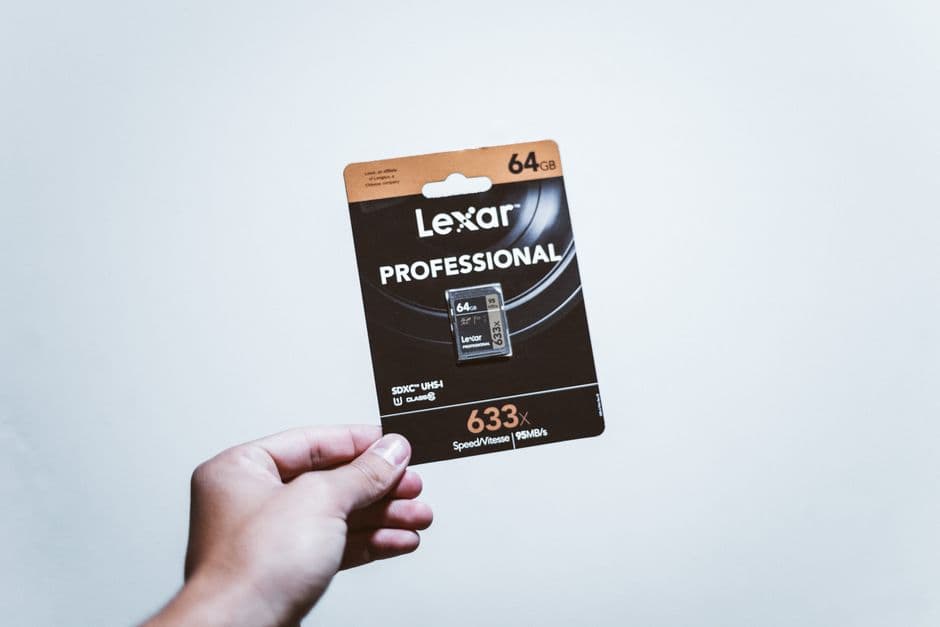
Dash cam use is close to the worst case for flash memory — continuous sequential writes, overwritten forever, in a hot car. Consumer cards are not specified for it. High-endurance cards are, and the published endurance figures differ enormously: Samsung PRO Endurance publishes 70,080 hours and 820 TBW at 128 GB against SanDisk High Endurance at 10,000 hours and 117 TBW. The full comparison is in best microSD cards for a dash cam.
Two habits worth having: format the card in the camera every month or two, and actually watch a random clip occasionally. A camera that is not recording looks identical to one that is, right up to the day you need it.
Every pick, with the working
Each entry lists the specifications the maker publishes, the axis scores those specifications produce, and what you give up. Rows that read “Not published” are not omissions on our side: they are things the maker will not commit to in writing, and they cost the product points on the transparency axis. Specifications compiled September 4, 2026.
Our pickThe card that outlives the camera
Samsung PRO Endurance microSD
At 128GB Samsung rates this card at 70,080 hours of continuous Full HD recording and 820 TBW. The comparable SanDisk High Endurance card is rated at 10,000 hours and 117 TBW at the same capacity. That is a seven-to-one difference in the only specification that matters for a device that overwrites its storage every day of its life.
- Rated endurance at 128GB
- 70,080 hours of Full HD recording
- TBW at 128GB
- 820 TB written
- Speed class
- V30
- Read speed
- Up to 100 MB/s
- Write speed
- Up to 40 MB/s
- Warranty
- 5 years
- Operating range
- Not published
- List price
- Not published
What it gets right
- 70,080 rated hours at 128GB, seven times the nearest mainstream competitor
- 820 TBW at 128GB against 117 TBW for SanDisk High Endurance
- V30 speed class, which every camera in this ledger is happy with
- Rated for the exact duty cycle a dash cam imposes: continuous write, forever
Flaws
- Costs meaningfully more than a general-purpose card of the same capacity
- 40 MB/s write is fine for one or two channels and marginal for three at high bitrate
- Endurance ratings are the maker's own figures, not an independent test
The working behind the 9.3
- Heat headroom: not scored (weight 22%)
- The maker publishes no operating-temperature ceiling, so this axis is dropped and the other weights are re-normalized.
- Install effort: 10.0 (weight 24%)
- Drops in and sits there. No fixing of any kind, and it comes out again when you sell the car.
- Price against the ceiling: not scored (weight 24%)
- No published list price we could cite on the compile date, so this axis is dropped and the other weights are re-normalized.
- Written commitment: 10.0 (weight 15%)
- 60-month warranty. This is the only promise in the entire listing that a court would read, which is why it is scored and the marketing copy is not.
- Spec transparency: 7.5 (weight 15%)
- 6 of the 8 specifications we went looking for are published by the maker (75%). A blank row is never a guess here: it prints “Not published” and it costs the product points, because a figure nobody will commit to in writing is a figure you cannot check.
Axes with no published input are dropped and the remaining weights re-normalized, so a product is not punished for a category where an axis does not apply. Specifications compiled September 4, 2026 from Samsung PRO Endurance published endurance ratings.
2The cheaper endurance card
SanDisk High Endurance microSD
Skip this one. If the price difference against the Samsung PRO Endurance is small, this is the wrong card. You are buying one seventh of the rated life to save a few dollars on a component whose entire job is not to fail silently.
Rated at 10,000 hours and 117 TBW at 128GB, with the same V30 class and the same 100/40 MB/s speeds as the Samsung. It is a genuine endurance card and it is not close to the Samsung on the endurance number. If it is meaningfully cheaper on the day you buy, it is still far better than a general-purpose card; if it is not, there is no argument for it.
- Rated endurance at 128GB
- 10,000 hours of Full HD recording
- TBW at 128GB
- 117 TB written
- Speed class
- V30, U3, Class 10
- Read speed
- Up to 100 MB/s
- Write speed
- Up to 40 MB/s
- Warranty
- Not published
- Operating range
- Not published
- List price
- Not published
What it gets right
- A real endurance card, rated for continuous write rather than repurposed from a phone card
- Same V30 class and same published read and write speeds as the Samsung
- Widely stocked, so it is usually the one you can get today
Flaws
- 10,000 rated hours against 70,080 for the Samsung at the same capacity
- 117 TBW against 820 TBW, which is the same gap stated the other way
- Only worth buying when the price gap is large
The working behind the 8.6
- Heat headroom: not scored (weight 22%)
- The maker publishes no operating-temperature ceiling, so this axis is dropped and the other weights are re-normalized.
- Install effort: 10.0 (weight 24%)
- Drops in and sits there. No fixing of any kind, and it comes out again when you sell the car.
- Price against the ceiling: not scored (weight 24%)
- No published list price we could cite on the compile date, so this axis is dropped and the other weights are re-normalized.
- Written commitment: not scored (weight 15%)
- No warranty term published, so this axis is dropped and the other weights are re-normalized.
- Spec transparency: 6.3 (weight 15%)
- 5 of the 8 specifications we went looking for are published by the maker (63%). A blank row is never a guess here: it prints “Not published” and it costs the product points, because a figure nobody will commit to in writing is a figure you cannot check.
Axes with no published input are dropped and the remaining weights re-normalized, so a product is not punished for a category where an axis does not apply. Specifications compiled September 4, 2026 from Published endurance ratings compared, SanDisk High Endurance.
3The one to buy if you only buy one
VIOFO A119 Mini 2
A Sony STARVIS 2 IMX675 sensor at 2K 60fps, a supercapacitor, a published 65 C ceiling, an 18-month warranty and three named parking modes including buffered recording. VIOFO publishes more about this camera than anyone else here publishes about anything, and that is the reason it wins: every claim on the page is one you can check.
- Front resolution
- 2560 x 1440 at 60fps
- Image sensor
- Sony STARVIS 2 IMX675, 5MP
- Field of view
- 140 degrees
- Aperture
- f/1.6
- Power store
- Supercapacitor, no battery
- Operating range
- -20 C to 65 C (-4 F to 149 F)
- Storage temperature
- -20 C to 70 C
- Max microSD
- 512 GB
- Wi-Fi
- 2.4 GHz and 5 GHz
- Parking modes
- Auto event detection, time lapse, low bitrate
- Dimensions
- 1.81 x 1.77 x 2.94 in
- Published current draw
- Not published
List price $159.99 per VIOFO's own store, captured on the compile date below. Not a live price and not what you will pay — the button is where the real number is.
What it gets right
- Sony STARVIS 2 IMX675 with an f/1.6 lens — the best published low-light hardware in this ledger
- 2K at 60fps, which reads plates on moving cars better than 4K at 30fps does
- Published 65 C ceiling and a supercapacitor, so summer is designed for rather than hoped about
- Three named parking modes, including buffered recording that keeps the seconds before a trigger
- 18-month warranty, longer than most of this category
Flaws
- Front only, and adding the rear camera means a different model entirely
- The list price is well above the sub-$100 bracket most people start in
- Parking mode needs the HK4 hardwire kit, which is a separate purchase and a separate afternoon
The working behind the 6.7
- Heat headroom: 9.0 (weight 22%)
- Published operating ceiling 65 C (149 F). A car parked in summer sun runs roughly 60-70 C inside, so 65 C and up is real headroom, 60 C is living at the limit, and anything under 55 C is a summer problem waiting to happen.
- Install effort: 6.0 (weight 24%)
- Adhesive pad onto the dashboard. Permanent in practice: repositioning means a new pad, and the pad is the part that fails first.
- Price against the ceiling: 3.5 (weight 24%)
- Listed at $159.99 on the compile date. This site's buyer has a practical ceiling around $150 for a single upgrade, so the scale rewards everything under $100 and falls away sharply past $150. The live price is very often different, and that is what the button is for.
- Written commitment: 7.0 (weight 15%)
- 18-month warranty. This is the only promise in the entire listing that a court would read, which is why it is scored and the marketing copy is not.
- Spec transparency: 9.2 (weight 15%)
- 11 of the 12 specifications we went looking for are published by the maker (92%). A blank row is never a guess here: it prints “Not published” and it costs the product points, because a figure nobody will commit to in writing is a figure you cannot check.
Axes with no published input are dropped and the remaining weights re-normalized, so a product is not punished for a category where an axis does not apply. Specifications compiled September 4, 2026 from VIOFO's A119 Mini 2 product page.
Prices last verified October 20, 2026. They move constantly; the figure on Amazon when you click is the real one.
Questions people actually ask
How long before my footage is overwritten?
It depends on card size, resolution and how many channels are recording — anywhere from a few hours to about a day for typical setups. If parking mode is running overnight, the loop continues while the car is parked. Treat it as hours, not days.
I already drove home. Is the footage gone?
Not necessarily. Stop the camera now and pull the card — every minute it stays powered is more loop. If the G-sensor triggered on the impact the file may be in the protected folder regardless. Check before assuming.
Can the protected folder fill up?
Yes, and on cameras with an over-sensitive G-sensor it does. Once the protected allocation is full, behavior varies by model — some stop protecting new files, some overwrite the oldest protected file. Clear it out periodically.
Should I give the police or my insurer the card itself?
Make your own complete copy first, then share a copy. Handing over your only card means losing access to it for an unknown period. This is general practice rather than legal advice.