CarPlay vs Android Auto
This comparison has an unusual property: the answer is already decided by the phone in your pocket. What is worth knowing is what each one requires.
By Sawyer V. · Published · How we research
We have not tested any of this. Everything below is compiled from published manufacturer specifications, and the arithmetic is printed so you can check it. This page carries affiliate links: if you buy through one we earn a commission at no extra cost to you, and it does not change the order of the picks. Full disclosure.
The short answer
You do not pick one — your phone does. CarPlay runs on iPhone, Android Auto on Android, and no adapter or subscription changes that. What is worth knowing before buying an adapter is the published requirement each has for going wireless: Google states wireless Android Auto needs Android 11.0 or later, 5 GHz Wi-Fi support, and an active data plan. Wireless CarPlay has no data-plan requirement for the connection itself.
| # | Pick | Install | Score | Price |
|---|---|---|---|---|
| 1 | AAWireless TWO Android Auto specifically | Plugs in | 8.6/10 | $64.99 - view on Amazon |
| 2 | CarlinKit 5.0 (CPC200-2air) Making factory wired CarPlay wireless | Plugs in | 8.2/10 | $54.99 - view on Amazon |
| 3 | CARPURIDE 10.26 in. Portable CarPlay Screen Adding CarPlay without touching the dashboard | Suction | 6.5/10 | Check price on Amazon |
Prices last verified October 26, 2026. They move constantly; the figure on Amazon when you click is the real one.
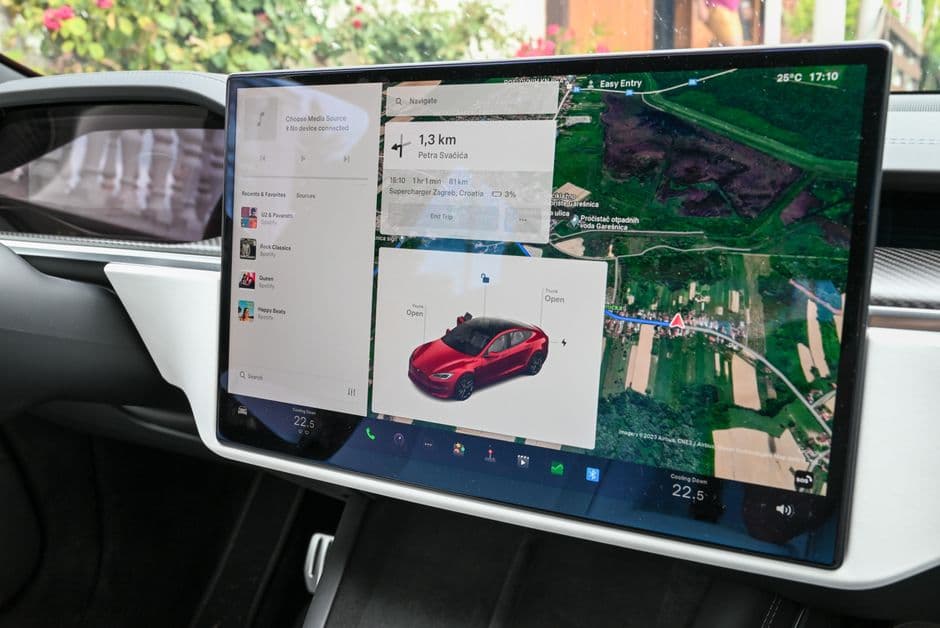
Why this is not really a comparison
Almost every "CarPlay vs Android Auto" question is actually one of three different questions wearing the same words. Worth separating them, because only two have answers.
- "Which should I use?" Whichever matches your phone. There is no crossover: CarPlay is iPhone-only and Android Auto is Android-only
- "Should I buy a car with one over the other?" Most cars sold in the last several years support both, so this rarely decides anything
- "How do I get wireless instead of plugging in?" This is the real question and it has a real answer, which is an adapter
The published requirements, which differ
Going wireless is where the two platforms genuinely diverge, and Google publishes more specific requirements than most people expect.
| Wireless CarPlay | Wireless Android Auto | |
|---|---|---|
| Phone | iPhone | Android 11.0 or later |
| Wi-Fi band | 5 GHz | 5 GHz support required |
| Data plan | Not required for the link | Active data plan stated |
| Head unit support | Native or via adapter | Native or via adapter |
| App installation | Built into iOS | Built into the phone, no download |
| Regional caveat | Not published | EU 5 GHz regulatory compliance |
The data-plan difference, and what it costs
Google's published requirement for wireless Android Auto includes an active data plan. Apple's published requirements for wireless CarPlay do not mention one for the connection itself.
In practice both platforms use phone data constantly regardless, because the maps, the traffic and the streaming audio all come over the cellular connection whether you are wired or wireless. The projection link itself is local Wi-Fi and costs nothing.
Where it genuinely matters is coverage. A wireless setup in an area with no signal loses navigation and audio in exactly the same way a wired one does — the difference is that with a cable you at least know the phone is charging while it happens. Download offline maps before a trip through anywhere rural, on either platform.
Wireless costs you the charge
The trade nobody mentions in the comparison: a cable projects the screen and charges the phone. Wireless projection does the first and drains the battery doing it.
Running a screen, a GPS radio, a cellular radio and a Wi-Fi radio simultaneously is close to the heaviest continuous load a phone takes. On a long drive a wirelessly connected phone can lose charge faster than it gains on a low-output charger.
The fix is a proper charger, which for wireless projection means either a decent USB-C car charger and a cable used purely for power, or a Qi2 mount — Qi2 vs MagSafe car charging. That is slightly absurd — going wireless and then plugging in a cable for power — and it is what most people end up doing, because the convenience being bought is not having to plug in the data connection every time.
What an adapter actually does
If your car has wired CarPlay or wired Android Auto, an adapter converts it to wireless. It plugs into the car's USB port, pretends to be your phone over the wire, and talks to the real phone over Bluetooth and Wi-Fi.
Two things to check before buying:
- Your car must already support the platform. An adapter converts wired to wireless. It cannot add CarPlay to a car that has none
- Latency is the differentiator and almost nobody publishes it. AAWireless publishes a 115 ms figure for the TWO, which is the only latency figure stated anywhere in this category — everyone else markets on compatibility lists
The adapters themselves are covered in best wireless CarPlay adapters and best wireless Android Auto adapters, and how they work in wireless CarPlay adapters explained. Whether the wireless convenience is worth the trade is argued out in wireless vs wired CarPlay.
If your car has neither
This is the situation the comparison does not help with, and it is common on anything more than about ten years old.
Three routes, in increasing order of effort:
- A portable screen that suction-mounts to the dash and runs both platforms itself, connecting to the car only for power and audio — best portable CarPlay screens
- A replacement head unit, which is the proper fix and a real installation job
- Neither — just solve the audio. If what you actually want is your phone's music and directions out loud, a Bluetooth adapter does that for a fraction of the cost — best Bluetooth adapters for older cars
The full decision for an older car is in how to add CarPlay to an older car.
Every pick, with the working
Each entry lists the specifications the maker publishes, the axis scores those specifications produce, and what you give up. Rows that read “Not published” are not omissions on our side: they are things the maker will not commit to in writing, and they cost the product points on the transparency axis. Specifications compiled September 4, 2026.
Our pickAndroid Auto specifically
AAWireless TWO
An Android Auto adapter from the team that built the category, at $65, with a published 115 ms latency figure and a multifunction button for switching between paired phones. That button is the reason it wins for a shared car: every other adapter in this ledger makes swapping phones a settings exercise.
- Platform
- Android Auto
- Phone requirement
- Android 11 or higher
- Connection
- Bluetooth handshake, then Wi-Fi
- Published latency
- 115 ms
- Controls
- Multifunction button: switch phone, pause, re-pair
- Requirement
- Factory wired Android Auto must already be present
- Working temperature
- Not published
- Warranty
- Not published
List price $65.00 per AAWireless' own store, captured on the compile date below. Not a live price and not what you will pay — the button is where the real number is.
What it gets right
- Published latency figure (115 ms) — nobody else in this category publishes one at all
- Multifunction button switches paired phones, pauses the connection or restarts pairing without a phone app
- Built specifically for Android Auto rather than as a CarPlay product with Android bolted on
- $65, which undercuts the CarPlay-only adapters that publish less
Flaws
- Requires Android 11 or higher, published as a hard floor
- Same absolute prerequisite as every adapter here: the car must already have factory wired Android Auto
- AAWireless publishes no operating-temperature range, on a device that lives in the car permanently
The working behind the 8.6
- Heat headroom: not scored (weight 22%)
- The maker publishes no operating-temperature ceiling, so this axis is dropped and the other weights are re-normalized.
- Install effort: 10.0 (weight 24%)
- Plugs into a 12V socket or a USB port. Nothing to mount, nothing to route, reversible in a second.
- Price against the ceiling: 8.0 (weight 24%)
- Listed at $65 on the compile date. This site's buyer has a practical ceiling around $150 for a single upgrade, so the scale rewards everything under $100 and falls away sharply past $150. The live price is very often different, and that is what the button is for.
- Written commitment: not scored (weight 15%)
- No warranty term published, so this axis is dropped and the other weights are re-normalized.
- Spec transparency: 7.5 (weight 15%)
- 6 of the 8 specifications we went looking for are published by the maker (75%). A blank row is never a guess here: it prints “Not published” and it costs the product points, because a figure nobody will commit to in writing is a figure you cannot check.
Axes with no published input are dropped and the remaining weights re-normalized, so a product is not punished for a category where an axis does not apply. Specifications compiled September 4, 2026 from AAWireless' TWO product page.
2Making factory wired CarPlay wireless
CarlinKit 5.0 (CPC200-2air)
A dongle that plugs into the USB port your wired CarPlay already uses and turns it wireless, on 2.4 and 5 GHz, drawing 0.75 watts. CarlinKit states compatibility with more than 800 car models from 2016 onwards. The prerequisite is absolute: your car must already have wired CarPlay or Android Auto. This adds no CarPlay to a car that has none.
- Wi-Fi
- 2.4 GHz and 5.0 GHz
- Power consumption
- 0.75 W
- Power input
- 5 V +/- 0.2 V, 1.0 A
- Vehicle compatibility
- Stated 800+ models from 2016 with factory wired CarPlay or Android Auto
- Requirement
- Factory wired CarPlay or Android Auto must already be present
- Dimensions
- 76 x 43 x 12.3 mm
- Brand exclusion
- Stated not compatible with BMW vehicles
- List price
- Not published
- Operating range
- Not published
- Warranty
- 1 year
What it gets right
- Removes the single most annoying thirty seconds of every commute
- Dual band 2.4 and 5 GHz, published, which is what keeps the link stable
- 0.75 W draw, published, so it is not a parasitic load worth worrying about
- Nothing to install: it plugs into the existing USB port
Flaws
- Requires factory wired CarPlay or Android Auto already present. This is not optional
- Adds a handshake delay at startup, which is shorter than plugging a cable in but not zero
- Firmware updates are a manual job through a web interface, and they are occasionally necessary
The working behind the 8.2
- Heat headroom: not scored (weight 22%)
- The maker publishes no operating-temperature ceiling, so this axis is dropped and the other weights are re-normalized.
- Install effort: 10.0 (weight 24%)
- Plugs into a 12V socket or a USB port. Nothing to mount, nothing to route, reversible in a second.
- Price against the ceiling: not scored (weight 24%)
- No published list price we could cite on the compile date, so this axis is dropped and the other weights are re-normalized.
- Written commitment: 5.5 (weight 15%)
- 12-month warranty. This is the only promise in the entire listing that a court would read, which is why it is scored and the marketing copy is not.
- Spec transparency: 8.0 (weight 15%)
- 8 of the 10 specifications we went looking for are published by the maker (80%). A blank row is never a guess here: it prints “Not published” and it costs the product points, because a figure nobody will commit to in writing is a figure you cannot check.
Axes with no published input are dropped and the remaining weights re-normalized, so a product is not punished for a category where an axis does not apply. Specifications compiled September 4, 2026 from CarlinKit's 2air product page.
3Adding CarPlay without touching the dashboard
CARPURIDE 10.26 in. Portable CarPlay Screen
Skip this one. Not an adapter and on this page for the case where the comparison does not apply: a car with no CarPlay or Android Auto at all. A portable screen gives you both platforms without touching the dashboard, at the cost of a second device suction-cupped to the dash. If your car already supports either platform natively, this is the wrong product and an adapter is the right one.
A self-contained screen with its own processor that suction-mounts to the dash and connects to the car only for power and audio. It publishes a panel resolution, which most of this category does not — and it also quietly publishes the discrepancy between the size on the box and the size of the usable image.
- Screen size
- 10.26 in outer, 9.3 in inner
- Resolution
- 1600 x 600 IPS
- Connection
- Wireless and wired CarPlay and Android Auto
- Audio out
- Bluetooth and FM transmitter
- Operating temperature
- Not published
- Warranty
- Not published
- List price
- Not published
What it gets right
- Publishes panel resolution — 1600 x 600 IPS — rather than only a screen size
- Wireless and wired CarPlay and Android Auto, plus mirror link
- Needs no dashboard disassembly and takes nothing apart; it leaves with you when you sell the car
- Bluetooth audio and FM transmitter output, so it works in a car whose stereo has no aux input
Flaws
- The 10.26 in figure is the outer dimension — CARPURIDE states an inner screen of 9.3 in, which is the number that matters
- No published operating temperature range, on a device that lives suction-cupped to a dashboard in the sun
- Suction mount plus a power cable is two things to route and one thing to fall off
- Sound quality via FM transmitter is limited by the FM link, not by the screen
The working behind the 6.5
- Heat headroom: not scored (weight 22%)
- The maker publishes no operating-temperature ceiling, so this axis is dropped and the other weights are re-normalized.
- Install effort: 7.0 (weight 24%)
- Suction cup onto glass or a dash disc. Reversible, but it wants a clean surface and it is the mount type most likely to let go on a hot day.
- Price against the ceiling: not scored (weight 24%)
- No published list price we could cite on the compile date, so this axis is dropped and the other weights are re-normalized.
- Written commitment: not scored (weight 15%)
- No warranty term published, so this axis is dropped and the other weights are re-normalized.
- Spec transparency: 5.7 (weight 15%)
- 4 of the 7 specifications we went looking for are published by the maker (57%). A blank row is never a guess here: it prints “Not published” and it costs the product points, because a figure nobody will commit to in writing is a figure you cannot check.
Axes with no published input are dropped and the remaining weights re-normalized, so a product is not punished for a category where an axis does not apply. Specifications compiled September 4, 2026 from CARPURIDE 10.26 in published panel size and resolution.
Prices last verified October 26, 2026. They move constantly; the figure on Amazon when you click is the real one.
Questions people actually ask
Can I use Android Auto on an iPhone?
No, and there is no adapter or app that changes it. CarPlay is iPhone-only and Android Auto is Android-only. Your phone decides which platform you use.
What does wireless Android Auto require?
Google publishes three requirements: Android 11.0 or later, 5 GHz Wi-Fi support on the phone, and an active data plan. In the EU there is an additional 5 GHz regulatory requirement, which Google states Pixel 3 and newer meet.
Does wireless CarPlay use more data?
The projection link itself is local Wi-Fi and costs no cellular data. Maps, traffic and streaming audio use data identically whether you are wired or wireless — the difference is that wired also charges the phone.
Will an adapter add CarPlay to a car that does not have it?
No. An adapter converts existing wired CarPlay or Android Auto to wireless. For a car with neither, you need a portable screen, a replacement head unit, or a Bluetooth adapter if audio is all you actually want.