Wireless vs wired CarPlay
Wireless removes thirty seconds of cable twice a day and introduces four costs nobody mentions on the box. Here is the honest comparison, including the case for keeping the cable.
By Sawyer V. · Published · How we research
We have not tested any of this. Everything below is compiled from published manufacturer specifications, and the arithmetic is printed so you can check it. This page carries affiliate links: if you buy through one we earn a commission at no extra cost to you, and it does not change the order of the picks. Full disclosure.
The decision
Wireless if you take short, frequent trips. Wired if you take long ones. Wireless removes the cable and costs you four things: a handshake delay of a few seconds at every start, phone charging (the cable was doing two jobs and the dongle does one), a warmer phone because Wi-Fi plus projection plus no cooling adds up, and an occasional firmware update. On a fifteen-minute commute done twice a day, the cable is a genuine irritation and wireless wins. On a two-hour drive, arriving with a hot phone at 40 percent is worse than plugging in once.
| # | Pick | Install | Score | Price |
|---|---|---|---|---|
| 1 | Ottocast U2-AIR Pro The most published hardware in the category | Plugs in | 9.6/10 | $35.99 - view on Amazon |
| 2 | CarlinKit 5.0 (CPC200-2air) Making factory wired CarPlay wireless | Plugs in | 8.2/10 | $54.99 - view on Amazon |
| 3 | Anker 765 USB-C to USB-C Cable (140W) The component that silently caps your charger | Plugs in | 8.6/10 | $19.99 - view on Amazon |
Prices last verified October 19, 2026. They move constantly; the figure on Amazon when you click is the real one.
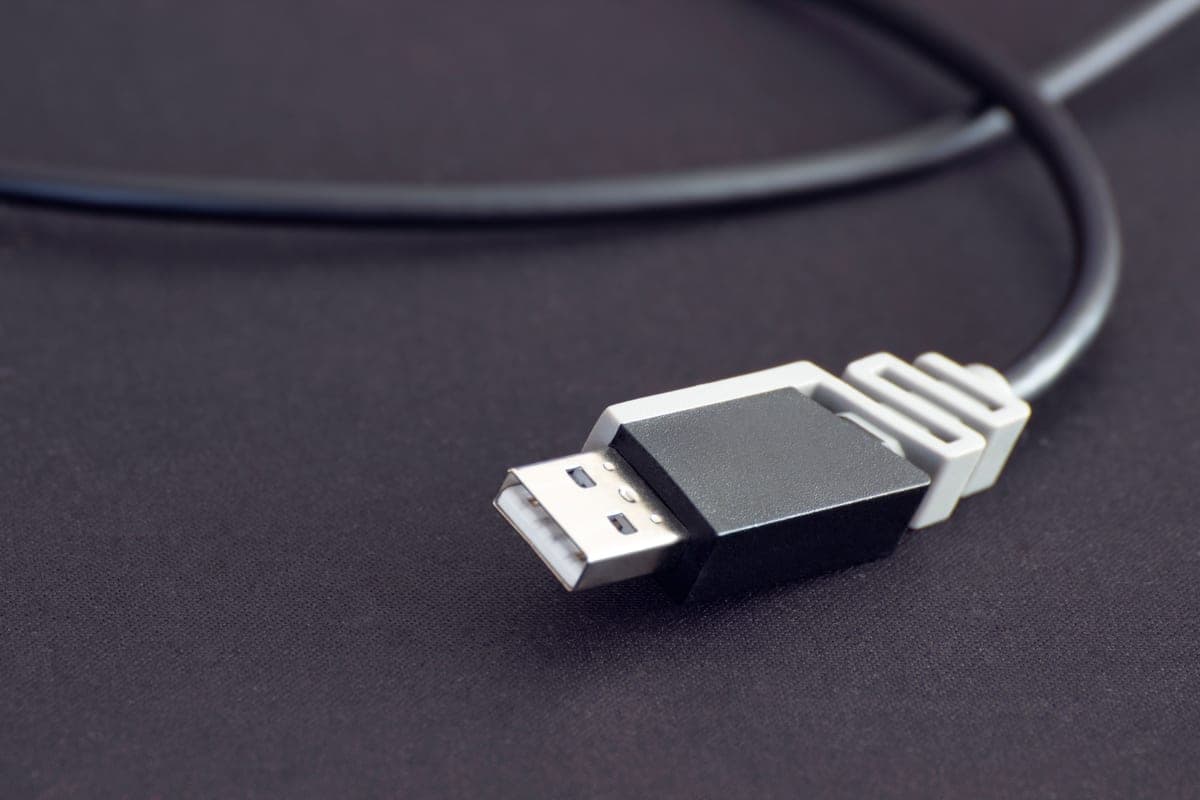
The four costs nobody puts on the box
| Wired | Wireless | |
|---|---|---|
| Connection time | Immediate | A few seconds of handshake, every start |
| Phone charging | Yes, while it runs | No — the dongle does not charge |
| Phone temperature | Baseline | Warmer: Wi-Fi radio plus projection, no cable cooling |
| Maintenance | None | Occasional firmware updates |
| Cost | Price of a cable | $59 to $65 plus a charging solution |
The charging one is the real trade
Obvious once stated and consistently forgotten: a cable was doing two jobs at once. It carried the CarPlay session and it charged the phone. A wireless adapter replaces exactly one of those.
Projection is not a light load. The screen is on, the GPS radio is working, and now the Wi-Fi radio is running continuously as well. A phone doing wireless CarPlay on a long drive can lose charge steadily rather than holding station.
So going wireless usually means also buying a 12V socket charger and a cable — at which point you have a cable in the car anyway, just not plugged into the phone. That is a genuinely funny outcome and it is worth being clear-eyed about before you spend.
Heat compounds, and it is worse than it sounds
Three things stack up on a wireless setup: the phone is working harder (Wi-Fi radio plus projection plus GPS), it is often sitting on a dashboard in the sun, and if it is on a wireless charger, that adds more heat still.
Phones throttle when hot. They dim the screen, slow the processor and reduce charging rate — so a hot phone doing wireless CarPlay charges slower exactly when it needs charging fastest. That is the compounding failure, and it is why wireless works better in February than in July.
A wired phone in a shaded mount, charging over a cable, avoids all of it.
The handshake, and why it is not fixable
Every wireless adapter has to pair over Bluetooth, bring up a Wi-Fi link, and then start the projection session. That sequence takes a few seconds and it happens at every ignition cycle.
It is not a defect and no adapter eliminates it — it is what the technology has to do. Adapters differ in how reliably they do it rather than how fast, and the published latency figures (AAWireless publishes 115 ms) describe the connection once established, not the time to establish it.
On a car you get in and out of ten times a day, that handshake happens ten times. On a car you get into once for a long drive, it happens once and is irrelevant.
Who should choose which
- Wireless: short frequent trips, school runs, errands, deliveries. The cable is a genuine irritation at that frequency and the charging cost barely materializes on a fifteen-minute journey.
- Wired: long commutes and road trips. You plug in once, the phone charges the whole way, and it stays cooler. The thirty seconds is amortized over two hours.
- Wireless, but budget properly: if you want it for a long drive anyway, plan on dongle plus Qi2 mount plus a 20 W-plus charger. That combination works well and it is three purchases, not one.
- Wired, and just buy a better cable: if the thing that annoys you is a fraying cable rather than the act of plugging in. Anker publishes 35,000 bends and 175 lb pull tolerance on the 765, and the cable page covers why a car destroys cables faster than anywhere else.
Both need the same thing from your car
Neither wired nor wireless CarPlay exists unless your car came with CarPlay. A wireless adapter converts factory wired CarPlay to wireless; it cannot create CarPlay in a car that has none.
The explainer has the two-minute check. If your car has no CarPlay at all, the answer is a new head unit — or, if the car only has a radio, an FM transmitter, which is a completely different and much more modest product.
What we cannot tell you
How much battery your specific phone loses on wireless projection, because that depends on the phone, the screen brightness, the cabin temperature and the app. We have not measured it. What is above is the mechanism and the published figures each maker states — the method is here.
The platform-level requirements differ in one way worth knowing before you buy an adapter: Google publishes Android 11.0, 5 GHz Wi-Fi and an active data plan as requirements for wireless Android Auto, where Apple publishes no data-plan requirement for the CarPlay link itself — CarPlay vs Android Auto.
Every pick, with the working
Each entry lists the specifications the maker publishes, the axis scores those specifications produce, and what you give up. Rows that read “Not published” are not omissions on our side: they are things the maker will not commit to in writing, and they cost the product points on the transparency axis. Specifications compiled September 4, 2026.
Our pickThe most published hardware in the category
Ottocast U2-AIR Pro
Ottocast publishes what everyone else in this category hides: a dual-core 1.2 GHz ARM Cortex A7, 64 MB of RAM, 16 MB of ROM, Linux, and a working environment of -20 C to 75 C. That temperature ceiling is the highest figure in this entire ledger, on a device that lives permanently plugged into a car, and it is the reason this is the pick.
- Processor
- Dual-core 1.2 GHz ARM Cortex A7
- Memory
- 64 MB RAM, 16 MB ROM
- Operating system
- Linux
- Wi-Fi
- 5 GHz
- Bluetooth
- 5.0
- Working environment
- -20 C to 75 C
- Power input
- USB 5 V, 1 A
- Dimensions
- 59 x 59 x 15 mm
- Weight
- 28 g
- Updates
- FOTA, over the air
- Android Auto
- Not supported on this model
- Warranty
- Not published
List price $59.00 per Ottocast's own store, sale price (regular $89.00), captured on the compile date below. Not a live price and not what you will pay — the button is where the real number is.
What it gets right
- 75 C published working ceiling — the highest of any product on this site, on a device that never leaves the car
- Publishes its processor, RAM, ROM and operating system, which nothing else here does
- 5 GHz Wi-Fi plus Bluetooth 5.0, with auto-connect and auto-reconnect
- FOTA updates, so firmware arrives over the air rather than through a web interface
- 59 x 59 x 15 mm and 28 g, published, so you know whether it hides
Flaws
- $59 on sale against a $89 list, which is roughly double the going rate for the category
- CarPlay only. Android Auto needs a different adapter
- Same absolute requirement as every adapter here: the car must already have factory wired CarPlay
The working behind the 9.6
- Heat headroom: 10.0 (weight 22%)
- Published operating ceiling 75 C (167 F). A car parked in summer sun runs roughly 60-70 C inside, so 65 C and up is real headroom, 60 C is living at the limit, and anything under 55 C is a summer problem waiting to happen.
- Install effort: 10.0 (weight 24%)
- Plugs into a 12V socket or a USB port. Nothing to mount, nothing to route, reversible in a second.
- Price against the ceiling: 9.0 (weight 24%)
- Listed at $59 on the compile date. This site's buyer has a practical ceiling around $150 for a single upgrade, so the scale rewards everything under $100 and falls away sharply past $150. The live price is very often different, and that is what the button is for.
- Written commitment: not scored (weight 15%)
- No warranty term published, so this axis is dropped and the other weights are re-normalized.
- Spec transparency: 9.2 (weight 15%)
- 11 of the 12 specifications we went looking for are published by the maker (92%). A blank row is never a guess here: it prints “Not published” and it costs the product points, because a figure nobody will commit to in writing is a figure you cannot check.
Axes with no published input are dropped and the remaining weights re-normalized, so a product is not punished for a category where an axis does not apply. Specifications compiled September 4, 2026 from Ottocast's U2-AIR Pro product page.
2Making factory wired CarPlay wireless
CarlinKit 5.0 (CPC200-2air)
A dongle that plugs into the USB port your wired CarPlay already uses and turns it wireless, on 2.4 and 5 GHz, drawing 0.75 watts. CarlinKit states compatibility with more than 800 car models from 2016 onwards. The prerequisite is absolute: your car must already have wired CarPlay or Android Auto. This adds no CarPlay to a car that has none.
- Wi-Fi
- 2.4 GHz and 5.0 GHz
- Power consumption
- 0.75 W
- Power input
- 5 V +/- 0.2 V, 1.0 A
- Vehicle compatibility
- Stated 800+ models from 2016 with factory wired CarPlay or Android Auto
- Requirement
- Factory wired CarPlay or Android Auto must already be present
- Dimensions
- 76 x 43 x 12.3 mm
- Brand exclusion
- Stated not compatible with BMW vehicles
- List price
- Not published
- Operating range
- Not published
- Warranty
- 1 year
What it gets right
- Removes the single most annoying thirty seconds of every commute
- Dual band 2.4 and 5 GHz, published, which is what keeps the link stable
- 0.75 W draw, published, so it is not a parasitic load worth worrying about
- Nothing to install: it plugs into the existing USB port
Flaws
- Requires factory wired CarPlay or Android Auto already present. This is not optional
- Adds a handshake delay at startup, which is shorter than plugging a cable in but not zero
- Firmware updates are a manual job through a web interface, and they are occasionally necessary
The working behind the 8.2
- Heat headroom: not scored (weight 22%)
- The maker publishes no operating-temperature ceiling, so this axis is dropped and the other weights are re-normalized.
- Install effort: 10.0 (weight 24%)
- Plugs into a 12V socket or a USB port. Nothing to mount, nothing to route, reversible in a second.
- Price against the ceiling: not scored (weight 24%)
- No published list price we could cite on the compile date, so this axis is dropped and the other weights are re-normalized.
- Written commitment: 5.5 (weight 15%)
- 12-month warranty. This is the only promise in the entire listing that a court would read, which is why it is scored and the marketing copy is not.
- Spec transparency: 8.0 (weight 15%)
- 8 of the 10 specifications we went looking for are published by the maker (80%). A blank row is never a guess here: it prints “Not published” and it costs the product points, because a figure nobody will commit to in writing is a figure you cannot check.
Axes with no published input are dropped and the remaining weights re-normalized, so a product is not punished for a category where an axis does not apply. Specifications compiled September 4, 2026 from CarlinKit's 2air product page.
3The component that silently caps your charger
Anker 765 USB-C to USB-C Cable (140W)
Skip this one. It is the cable, and on this page it is a real contender rather than a joke entry. Wired CarPlay is faster to connect, charges the phone while it runs, and keeps the phone cooler. If any of those matter more to you than the cable does, the correct purchase on this page is a good cable and nothing else.
Rated to 140W over USB Power Delivery 3.1, with a published 35,000-bend lifespan and a stated 175 lb pull tolerance. Those two durability numbers are the reason to buy a named cable rather than a bundled one: in a car the cable is yanked, trodden on and shut in a door, and it is the part of the charging chain that fails first.
- Power rating
- 140 W
- Standard
- USB Power Delivery 3.1
- Data rate
- 480 Mbps
- Lengths
- 3 ft and 6 ft
- Bend lifespan
- 35,000 bends
- Pull tolerance
- 175 lb
- Jacket
- Nylon braid
- List price
- Not published
- Operating range
- Not published
What it gets right
- 140 W rating means it will never be the bottleneck behind any car charger on this site
- Published 35,000-bend lifespan and 175 lb pull strength — real durability figures, which almost no cable maker gives
- Nylon braid, and available in 3 ft and 6 ft so you can actually reach the back seat
- USB PD 3.1, so it negotiates the higher voltages properly rather than falling back to 5V
Flaws
- 480 Mbps data only. It is a charging cable, not a display or transfer cable
- 140 W is far more than a phone will ever draw — the rating matters for durability and headroom, not speed
- Costs several times a bundled cable, which is the whole objection and the whole point
The working behind the 8.6
- Heat headroom: not scored (weight 22%)
- The maker publishes no operating-temperature ceiling, so this axis is dropped and the other weights are re-normalized.
- Install effort: 10.0 (weight 24%)
- Plugs into a 12V socket or a USB port. Nothing to mount, nothing to route, reversible in a second.
- Price against the ceiling: not scored (weight 24%)
- No published list price we could cite on the compile date, so this axis is dropped and the other weights are re-normalized.
- Written commitment: 7.0 (weight 15%)
- 18-month warranty. This is the only promise in the entire listing that a court would read, which is why it is scored and the marketing copy is not.
- Spec transparency: 7.8 (weight 15%)
- 7 of the 9 specifications we went looking for are published by the maker (78%). A blank row is never a guess here: it prints “Not published” and it costs the product points, because a figure nobody will commit to in writing is a figure you cannot check.
Axes with no published input are dropped and the remaining weights re-normalized, so a product is not punished for a category where an axis does not apply. Specifications compiled September 4, 2026 from Anker's 765 cable specification page.
Prices last verified October 19, 2026. They move constantly; the figure on Amazon when you click is the real one.
Questions people actually ask
Is wireless CarPlay worth it?
For short frequent trips, yes — the cable is a real irritation ten times a day. For long drives, the cable is better: it charges the phone, keeps it cooler, and connects instantly.
Does wireless CarPlay drain the battery?
It uses more than wired, because the Wi-Fi radio runs continuously — and unlike wired, nothing is charging the phone at the same time. On a long drive a phone can lose charge steadily rather than holding station.
Is wireless CarPlay slower?
Once connected, no meaningfully — AAWireless publishes 115 ms latency, which is imperceptible for navigation. The delay people notice is the handshake at every start, which is a few seconds and which no adapter eliminates.
What do I need to buy for a proper wireless setup?
Three things, realistically: the adapter, a wireless charging mount to solve the charging you gave up, and a 20 W-plus USB-C charger to feed the mount. Budget for all three rather than being surprised by the second and third.